Setting up & Testing a Bitcoin Hardware Wallet Properly
I’ve been asked a few times by friends how to setup a hardware wallet for crypto “properly”. There are many different ways to do this, but this is the best way I’ve found so far. So what’s the aim of doing this?
For one to be confident if a hardware wallet is lost or stolen, that the coins are recoverable!
Stepping back a bit, and to give some background - why would one want a hardware wallet in the first place? Well good question.
If you have enough coins, then you might want to consider it as a type of Cold storage, for more security, over just keeping it on your computer (aka Hot storage). The main reason for this over other methods of cold-storage is that it gives you a lot of the security of an offline wallet (harder to hack compared to one on your computer), but is way more practical to use: i.e. you can use it to send transactions without having to import your whole offline/paper wallet somewhere, or run a totally air-gapped rig and move the sig over to an internet connected one.
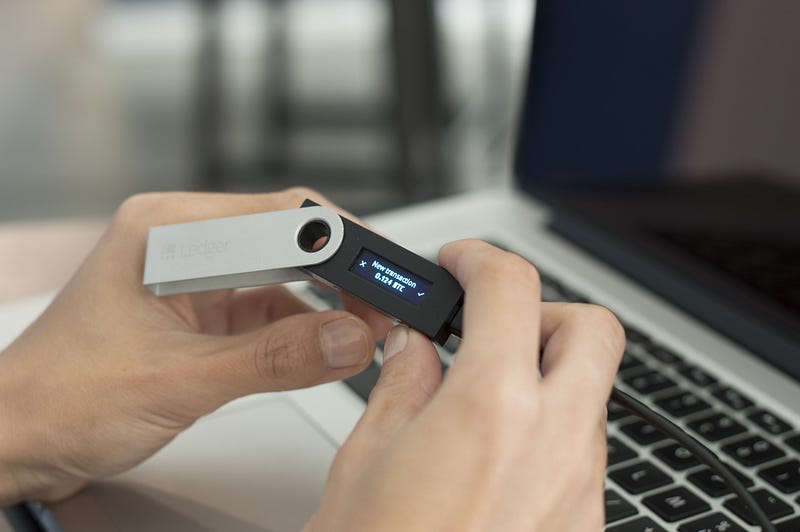
How secure are hardware wallets? Pretty secure apparently — here is great quote from the bitcoin.it hardware wallet page:
To date there have been no verifiable incidents of Bitcoins stolen from hardware wallets. Hardware wallets are relatively new, but at least for the time being they have maintained a good track record, unlike the numerous incidents of Bitcoin theft from Internet-connected computers.
I’ve also been asked “what happens if you lose your ledger or it’s stolen?”. Well, not much. If someone steals it, they’d also have to guess the pin-code within a few attempts — otherwise it resets and deletes the keys. If you’ve got a backup of your key, all is fine — your funds are safe (though, I would move them and start fresh asap). Interestingly, there are some recent options for having an alternate passphrase, which could help against someone trying to physically extract your pin from you (i.e. hitting you with a wrench)! From Ledger:
Our recommendation is to use your current PIN for your day to day accounts, holding reasonable assets, and your alternate PIN for your savings account, holding higher value assets. This way, not only will your backup seed be protected by the passphrase, but your “duress” PIN will in fact be a real account will real transactions. This would be much more effective in a plausible deniability scenario.
If you want to learn more about cold storage and hardware wallets, a good starting point is reading:
- https://en.bitcoin.it/wiki/Cold_storage — options for cold storage
- https://en.bitcoin.it/wiki/Hardware_wallet — more about the different hardware wallets available
So lets get to it. For this post, I’m going to assume you have a Ledger Nano S, but this general procedure should be applicable to most. Like with backups, if you don’t test them, they may fail you just when you need them most.
The procedure:
- If you’re extra paranoid, e.g. you bought from sketchy Amazon reseller or just found one on the street — verify it’s the expected hardware.
- Setup the wallet using the default method (or alternate-pin-method), write down your key (paper, or separate offline computer with GPG).
- Send a small amount of your chosen coin to it, say $1.
- Verify receipt of said coin.
- Factory reset your hardware wallet.
- Attempt restore using the key you wrote down in step 1, then check your balance again. Nothing should have changed.
If this all works, you can be confident if you loose your wallet, but don’t loose your key, you can recover it to either a new hardware wallet, or a software wallet using the same key standard.
If it doesn’t, it likely means you didn’t write down your key properly.
The last step is to store the key securely and periodically test restoring it using the same procedure as above. Personally, I GPG it and then store it in a few places, rather than a paper backup — but this is a personal choice.